Testing Webhooks
We've added a Webhook Debugger to help you receive messages and statuses from WhatsApp communication. The debugger allows you to test your webhook endpoints and view incoming events in real-time.
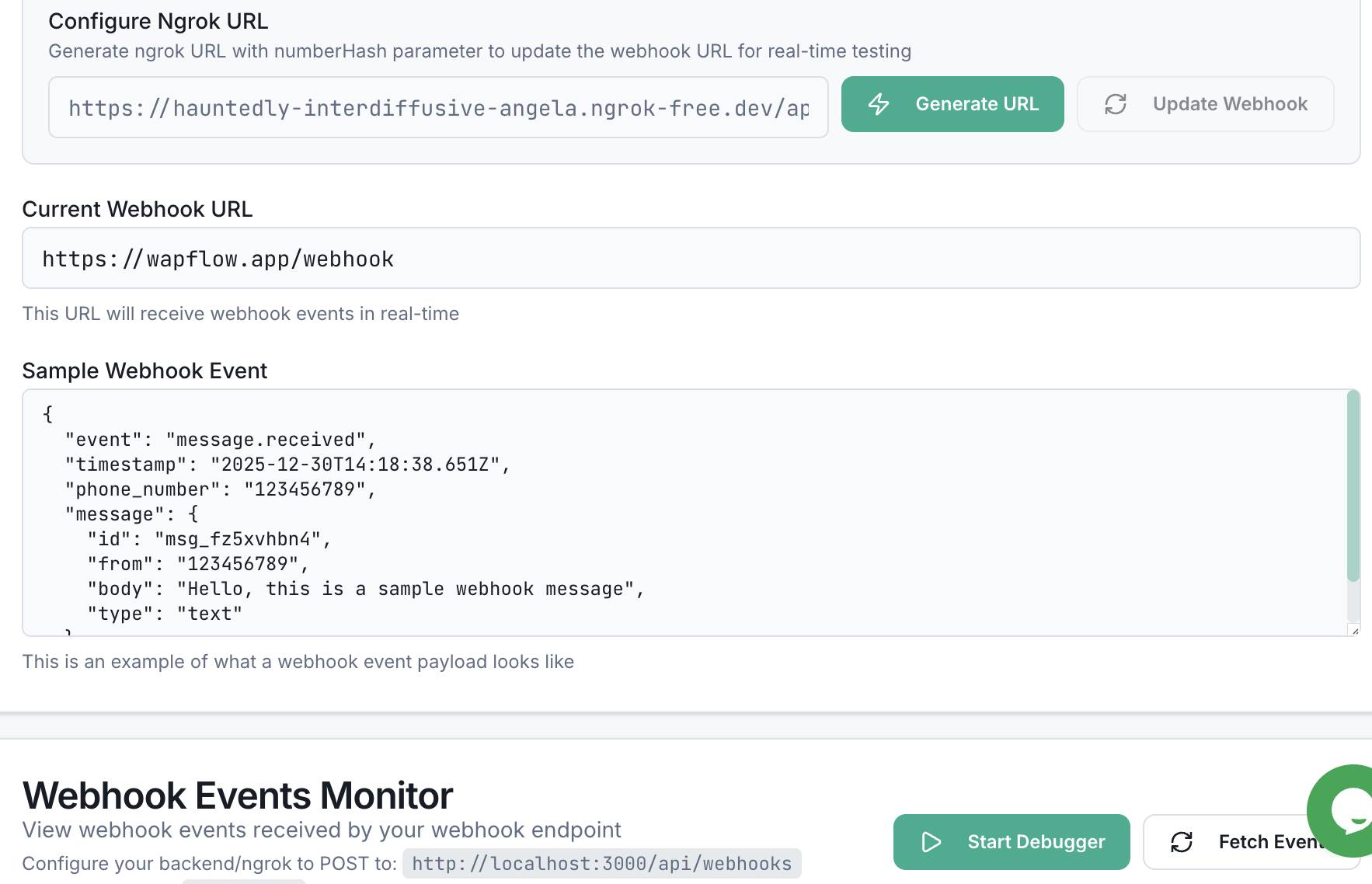
Step 1: Generate Webhook Debugger URL
The first thing you need to do is generate a webhook debugger URL. This will create and update the webhook for messages:
- Navigate to your Dashboard
- Select the phone number you want to test webhooks for
- Click on the Debugger tab
- In the "Configure Webhook URL" section, enter your webhook URL (e.g., https://wapflow.app/api/webhooks)
- Click the Generate URL button
Once you click Generate URL, it will automatically create and update the webhook for messages with the URL you provided.
Step 2: Start the Debugger
Once you've generated the webhook debugger URL:
- Click the Start Debugger button to activate the debugger
- The debugger will begin monitoring webhook events in real-time
- You'll see a status indicator showing that the debugger is active
Step 3: Send a Test Message
Now that the debugger is active:
- Send a message to your connected WhatsApp phone number from another device
- The webhook events will be automatically captured and displayed in the Webhook Events Monitor
- You'll see events appear in real-time as they're received
Viewing Webhook Messages
In the Webhook Events Monitor, you can:
- View all incoming webhook events in chronological order
- See message events, status updates, and other webhook notifications
- Expand individual events to see the full JSON payload
- Monitor events as they happen in real-time
The events monitor will display webhook messages as they are received, allowing you to see exactly what data is being sent to your webhook endpoint.
Tips for Testing
- Check webhook URL - Verify that your webhook URL is correctly configured in the Debugger tab
- Monitor events - Keep the events monitor open while testing to see events in real-time
- Test various scenarios - Try sending different types of messages (text, media, etc.) to see various event types
Need Help?
If you need assistance testing webhooks, contact us via Email: info@wapflow.app or Chat With Us.